Figuring out how to pay quarterly taxes online shouldn't add to tax-day stress—but between payroll, invoicing, and actual revenue-generating work, it usually does. The day before a deadline, the questions pile up: Did you calculate the amount right? Is the cash there?
You can pay your quarterly taxes online using three reliable options: IRS Direct Pay (if you want a free option that takes 5 minutes), EFTPS (if you prefer an automated option that requires one-time setup), and debit or credit card (if you love convenience and don't mind fees).
In this guide, we'll share a guide to quarterly taxes, including how to calculate payments without tying up cash you need for growth, which online method fits your workflow, and how to automate the entire process so you never face tax season panic again.
What taxes do self-employed people pay?
Running your own business means you're covering both sides of the tax equation. The self-employment tax hits you for 15.3% of net profit (12.4% for Social Security plus 2.9% for Medicare). Then regular income tax applies based on your bracket, just like everyone else. The 12.4% Social Security portion applies to net earnings up to the annual wage base—$184,500 in 2026—while the 2.9% Medicare portion has no cap.
The quarterly tax payments for business owners exist to replace the automatic withholding that happens with W-2 paychecks. So every three months, you send the IRS a slice of both taxes. The math, the cash reserves, the deadline tracking—all of it lands on you.
Most states also impose their own income or gross receipts taxes, which often follow separate calendars that align with federal deadlines.
Who needs to file and pay estimated quarterly taxes?
If you expect to owe at least $1,000 in federal taxes when you file your return, you're required to make quarterly payments. This includes freelancers, consultants, independent contractors, sole proprietors, single-member LLCs, partnerships, and gig-economy workers. Even side income counts: substantial 1099 earnings trigger quarterly requirements regardless of your W-2 job.
You're only exempt if employer withholding covers your total tax bill or you'll owe under $1,000 for the year. And if you file late or underpay, you risk incurring penalties from the IRS.
How to estimate your quarterly tax payments as a business owner
You can calculate quarterly payments using Form 1040-ES (the IRS worksheet for projecting profit and deductions) or use a faster percentage-based method that most business owners prefer. Both get you to the same place: accurate payments that avoid penalties.
Here's how the percentage method for estimating quarterly tax payments works in four steps:
Set your baseline percentage: Transfer 25 to 30% of every business deposit into a separate tax account. This covers both self-employment tax and income tax for most businesses.
Fine-tune your percentage using the IRS Tax Withholding Estimator: Don't forget that most pass-through owners qualify for the 20% Qualified Business Income deduction (more on this in the next section).
Use safe-harbor rules for protection: Pay 100% of last year's total tax (110% if you earned over $150K) or 90% of this year's bill. Either approach keeps penalties away (and the IRS happy) even if your income jumps mid-year.
Adjust quarterly based on your actual income: Review your profit each quarter and recalculate if revenue changes significantly. For example, you'll need to increase your tax allocation immediately if you're a home services contractor landing three major projects in Q2.
This quarterly check-in prevents two tax problems: overpaying, which ties up cash you need for business expenses like equipment or hiring, and underpaying, which triggers penalty fees that compound every quarter.
When we're talking about estimates, there's one more item most businesses need to consider: the QBI deduction.
What is a Qualified Business Income (QBI) deduction?
Qualified Business Income is the net profit from your business. Essentially, it's what's left after you subtract expenses from revenue. The QBI deduction (also called Section 199A) lets you deduct up to 20% of that income on your personal tax return, which directly reduces your taxable income and lowers your quarterly tax payments. The 2025 One Big Beautiful Bill Act made the QBI deduction permanent and added a $400 minimum deduction for anyone with at least $1,000 of active qualified business income, starting with tax years after December 31, 2025.
Most sole proprietors, partnerships, S-corporations, and LLCs qualify for the full deduction if their taxable income stays under $201,750 (single) or $403,500 (married filing jointly) for 2026. High earners and professionals in specified service fields (like law, medicine, and consulting) face additional wage and property limits that phase out the deduction above those thresholds.
When you're calculating quarterly payments, the QBI deduction lowers the income figure you're working from. Form 1040-ES has a dedicated line for it, so you can include it when estimating your payments.
If you're using the percentage method, this deduction is already baked into the 25-30% baseline. And if your income approaches those thresholds, you should work with a tax professional to make sure you're capturing the full benefit.
When are estimated quarterly taxes due?
The IRS runs on a four-quarter tax rhythm. However, the agency shares deadlines and dates that you should be aware of if you're a small business or self-employed professional.
For 2026 taxes, here's the schedule with the income periods each payment covers:
Q1 payment: April 15, 2026 (covers January 1–March 31 income)
Q2 payment: June 15, 2026 (covers April 1–May 31 income)
Q3 payment: September 15, 2026 (covers June 1–August 31 income)
Q4 payment: January 15, 2027 (covers September 1–December 31 income)
You can skip the January 15, 2027 payment if you file your 2026 return and pay everything you owe by February 1, 2027. When a deadline falls on a weekend or federal holiday, it shifts to the next business day. The IRS date-stamps electronic payments when you submit, not when they process. Miss a deadline by even a day and the penalties start accruing immediately.
To stay on track, we recommend setting calendar alerts one week before each deadline, so you have sufficient time to review your numbers and submit. You can also schedule all four payments at once (if your cash flow plan allows it) and let future-you focus on running the business instead of racing the clock.
What happens if you miss or underpay a quarterly tax payment?
If you miss a deadline or pay too little, the IRS charges an underpayment penalty that works like interest: it applies to the amount you underpaid, for each day it stays unpaid, and it compounds daily. For the third quarter of 2026, the rate on individual underpayments is 7%—the federal short-term rate plus three percentage points. The penalty is calculated on Form 2210, so it scales with how much you were short and how late you were, rather than a flat fine.
Two things keep it from biting. First, the safe-harbor rule: if you pay 100% of last year's total tax (110% if your prior-year adjusted gross income was over $150,000) or 90% of this year's tax, you won't owe a penalty even if your income jumps. Second, there's no penalty at all if you owe less than $1,000 after withholding and credits. If you realize mid-year you've underpaid, making a larger payment in the next quarter reduces the penalty—it stops accruing on each dollar the moment you pay it.
How to pay quarterly taxes online
You've done the math, set aside the money, and now it's time to send it to the IRS. Here are three ways you can pay your quarterly taxes online:
IRS Direct Pay
The Electronic Federal Tax Payment System (EFTPS)
Authorized debit/credit card processor
Let's review how each one works.
1. Use IRS Direct Pay for fast payments
IRS Direct Pay keeps it simple with one form, no accounts to create, no passwords to remember.
Here's the process for paying quarterly taxes online via IRS Direct pay:
Go to IRS.gov/payments and choose "Direct Pay"
Select "Estimated Tax" and "1040-ES," then pick the correct tax year
Verify your identity with details from your last return (name, address, filing status, and SSN)
Enter the amount you owe plus your bank's routing and account numbers
Schedule the withdrawal (today or any date up to a year out) and authorize the payment
Save the confirmation number; you'll need it to modify or cancel
Ensure you double-check the tax year and SSN before submitting. Most Direct Pay errors stem from these two mistakes. You can also schedule multiple future payments in one session, but you'll need to set specific dollar amounts for each. Therefore, most business owners prefer to schedule one quarter at a time (as they calculate what they actually owe) when using IRS Direct Pay.
2. Pay online with EFTPS to manage taxes across businesses
The Electronic Federal Tax Payment System (EFTPS) works better when you're managing ongoing tax obligations across multiple quarters or multiple businesses. Unlike Direct Pay's transaction-by-transaction approach, EFTPS functions as a tax payment dashboard where you can schedule, modify, and track everything in one place.
Here is how to set up EFTPS to pay your quarterly taxes:
Start enrollment at EFTPS.gov with your SSN/EIN, bank routing number, and account number.
Wait for the US Treasury to mail you a PIN (usually takes about seven business days).
Use that PIN to create a password and enable multi-factor authentication.
Once you're in, you can schedule quarterly payments for the entire year, change or cancel amounts up to two days before processing, and access 16 months of payment history that you can export for your records.
The history feature on EFTPS is particularly valuable during tax season when you need to verify exactly what you paid and when.
The trade-off: you'll have to wait the initial seven days for a PIN and deal with an interface that's functional but outdated compared to modern banking apps.
3. Use a Debit or Credit Card when a transfer isn't possible
The IRS links to two authorized processors: Pay1040 and ACI Payments. To pay, you enter your tax details and card information and get instant confirmation. This is convenient when you're racing a deadline, but keep in mind you'll pay processing fees.
Debit cards carry a small flat fee (about $2.10 to $2.15), while credit cards run 1.75% to 1.85% of the payment amount, with a $2.50 minimum (which usually exceeds any rewards points you'd earn). Card payments are a good option only when bank transfers aren't available or if you need to spread your tax payments over a billing cycle. If you use them every quarter, those convenience fees add up fast.
If you do end up paying with a card, ensure you save the confirmation number before closing your browser. Lots of processors display it on-screen, but most don't email it automatically. You'll need that number if you need to verify the payment later or resolve any issues with the IRS.
How Relay simplifies quarterly tax payments
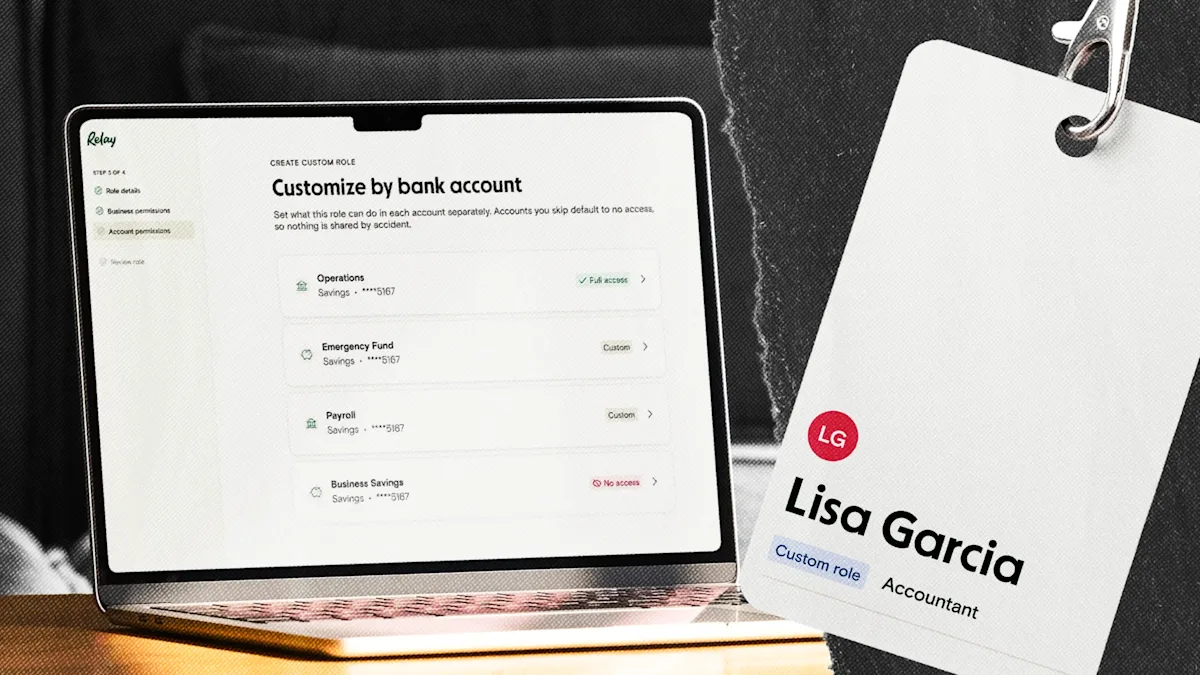
With Relay, you can open a dedicated tax account (one of 20 checking accounts available with no minimum account balances) and set up an automatic rule that moves 25 to 30% of every deposit straight into it. No spreadsheets, no guessing—you open your banking app and see exactly how much you've saved for taxes.
This separation keeps your finances clear: operating cash in one (or more) accounts and tax reserves in another. This gives visibility into what's actually available for hiring, equipment, or growth because committed tax money isn't mixed in with your working capital.
When quarterly deadlines arrive, you can log into IRS Direct Pay or EFTPS and pay directly from your Relay tax account or use your Relay Visa® Debit Card³ if you prefer card payments.
Plus, everything syncs to QuickBooks Online or Xero. Now, you can see the payment categorized correctly without manual entry. And you can approve transactions, check balances, and adjust transfer rules from your phone.
With Relay, you get an automated organization system that makes quarterly taxes one less thing to track manually.
³The Relay Visa® Debit Card is issued by Thread Bank, Member FDIC, pursuant to a license from Visa U.S.A. Inc. and may be used anywhere Visa debit cards are accepted.
Conclusion and next steps
We've covered the three ways to pay quarterly taxes online: Direct Pay, EFTPS, and card payments. Now, it's time to be proactive. Set up your system by creating a dedicated tax account and automating 25 to 30% transfers from every deposit.
Afterwards, you can calculate your next payment using the safe-harbor method we mentioned earlier, schedule it through Direct Pay or EFTPS, and set reminders for the remaining quarters. Make this the year quarterly taxes stop being a headache.
Frequently asked questions
Can I pay my quarterly taxes online?
Yes. The IRS accepts estimated quarterly tax payments through three online options: IRS Direct Pay (free, straight from your bank account), the Electronic Federal Tax Payment System (EFTPS, free but requires one-time enrollment), and an authorized debit or credit card processor (fast, but with a processing fee).
Can I pay all my quarterly taxes at once?
Yes. Both IRS Direct Pay and EFTPS let you schedule payments in advance, and EFTPS lets you schedule all four quarterly payments for the year in one session. You'll set a specific dollar amount for each date. Paying ahead is fine, but many owners still pay one quarter at a time so they can adjust the amount as their income changes.
Can I pay quarterly taxes with a credit card?
Yes, through an IRS-authorized processor (Pay1040 or ACI Payments). Expect a fee of about 1.75% to 1.85% of the payment for credit cards, or a flat fee of roughly $2.10 to $2.15 for debit cards. Because the credit card fee usually outweighs any rewards, cards make the most sense when a bank transfer isn't an option or you need to spread the payment over a billing cycle.
What's the best bank account setup for saving for quarterly taxes?
The simplest setup is a dedicated tax account, separate from your operating account, that you fund automatically. Moving 25 to 30% of every deposit into it means the money is set aside before you can spend it, so the cash is there when the deadline arrives. A banking platform that supports multiple checking accounts and percentage-based auto-transfers—like Relay—lets you automate this without manual moves.