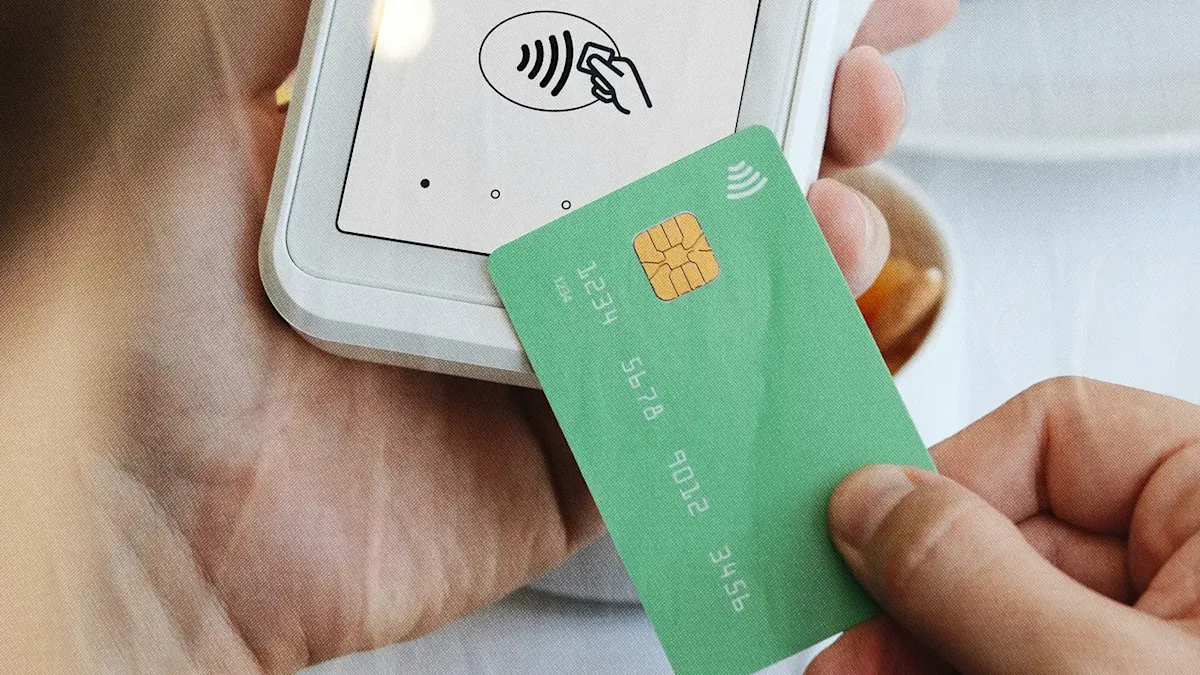
A field tech grabbing $40 of supplies and a manager paying a $3,000 vendor invoice shouldn't have the same spending power on their debit cards. At most banks, they do: one shared balance, one limit, the same access for everyone you hand a card to.
What separates a debit card you can actually give an employee from one you can't is whether you can set the rules on each card individually—a different per-purchase limit on every card, control over where each one works, purchases you can see as they happen, and the ability to freeze one card without touching the rest. Plenty of business debit cards let you do none of that. Without those controls, you're back to babysitting one shared account.
Do all banks let you set per-card debit limits?
A business debit card can carry its own per-card spending limit, but whether you can actually set one depends on the platform behind the account. The same "debit card" label means basic account access at one bank and full card-level control at another. Open the dashboard looking for a limit field and you'll either find something useful or find nothing at all.
Traditional banks tend to keep it simple: a shared daily purchase limit, low default caps on extra employee cards, and an adjustment process that runs through a phone call or a branch visit. If your limits almost never change, that's livable. If your team's needs shift month to month, it turns a two-second change into a chore.
Newer banking platforms work from the opposite direction. From one checking account, you can issue multiple physical and virtual debit cards, each with its own daily, monthly, and per-purchase limit that you set yourself. Change one card and the rest stay exactly where they were, done from a dashboard in seconds.
Should employees use debit or prepaid cards?
It depends on the job: debit for routine purchases, prepaid for fixed budgets. When a card request lands before an event, a supply run, or a bigger vendor purchase, the decision is easier when the card type already matches how the money will be spent.
Factor | Business debit card (bank-linked) | Prepaid card |
|---|---|---|
How spending is funded | Draws directly from the checking account balance | Preloaded with a fixed balance you top up |
Reload friction | None; the account balance is the source | Must be reloaded when the balance runs low |
Control strength | Strong on the right platform: card-level limits and merchant category rules | Limit is the loaded balance; other controls vary by issuer |
Visibility | Real-time transaction view from the same dashboard as the checking account | Often a separate portal, sometimes batch-updated |
Accounting sync | Typically syncs to QuickBooks Online or Xero with the rest of the account | Sync depends on the issuer; many do not connect to accounting tools |
Best fit | Teams making routine purchases where the owner wants direct visibility and no reloading | One-off budgets, event spending, or workers you want hard-capped to a set amount |
A lot of businesses run both: debit cards for everyday supplies, and prepaid cards for one-off event budgets. If you're weighing your options more broadly, employee spending cards lay out the debit-versus-prepaid trade-offs in more depth.
What do per-purchase debit limits look like in practice?
Three controls do the real work on an employee debit card: spending caps, merchant category controls, and real-time visibility. Each one fixes a different problem the moment two people need to buy something on the same day. Share one ceiling between both cards and you've either given one person too much room or set the other up to get declined at the register. Per-card controls let a field card carry different limits than a manager's.
Spending caps
A spending cap is a daily, monthly, or per-purchase limit you set on a card before a single dollar moves. The field employee picking up supplies might sit at $500 a month; the manager handling larger vendor purchases at $3,000. Each cap belongs to that one card, so raising or lowering it leaves every other card alone.
Merchant category controls
Merchant category controls govern where a card works. You can limit a card to certain types of vendors or block whole categories outright. A supplies card might be cleared at hardware stores and fuel stations and set to decline everywhere else, so the employee can buy what the job needs and nothing it doesn't.
Real-time visibility
Every transaction shows up the moment it happens, not at month-end. You see the supplies purchase as the employee makes it, and if something looks wrong, you can freeze the card from your phone before the next swipe. The same goes for virtual debit cards: issue one for a single vendor and kill it just as fast. If you're weighing providers, it's worth comparing options like a business bank with a virtual debit card before you lock one in.
On Relay, each debit card³ carries its own spending limit and built-in spend policy, and every purchase shows up in real time across all your checking accounts. The controls aren't bolted onto the account—they're the same place you do your banking.
³The Relay Visa® Debit Card is issued by Thread Bank, Member FDIC, pursuant to a license from Visa U.S.A. Inc. and may be used anywhere Visa debit cards are accepted.
Are business debit cards safe for employee use?
Business debit cards can be safe for employee use, but the safety comes from the controls you set, not the card itself. Unlike consumer debit cards, business debit cards don't carry the same federal protections under Regulation E, so the guardrails you set do more of the work. Per-card limits and merchant rules reduce exposure at the transaction level instead of leaving you to fight disputes after the money's gone.
The fraud numbers explain why that matters. Occupational fraud is a meaningful drain on businesses, with businesses losing an estimated 5% of revenue to fraud each year, according to the 2024 Report to the Nations. The same study found that asset misappropriation, the category that includes unauthorized card use, is by far the most common form, occurring in 89% of cases.
Card-level guardrails earn their place here because they cap exposure before a charge clears, not after. A compromised card is contained by its own ceiling. Off-policy vendors get blocked at the network level. A questionable charge surfaces the same day instead of at month-end.
What should you check before choosing a business bank?
What a bank lets you do with its cards tells you how much control you'll really have once employees start spending. An account that only offers a shared daily limit has already shown you its ceiling. Before you commit to a business bank, run the account through six questions:
Cards per account. How many physical and virtual cards you can issue, so each person gets their own instead of sharing one.
Per-card limits. Daily, monthly, and per-purchase caps you can set on each card yourself.
Merchant category controls. The ability to allow or block specific vendor types card by card.
Real-time alerts and card freezing. Transaction notifications and a way to pause a card from a dashboard or your phone.
Self-serve adjustments. Whether you can change one card's limit without a phone call or disturbing the others.
Accounting sync. A direct connection to QuickBooks Online or Xero so transactions reconcile on their own.
Those six questions separate a bank that hands you one shared card from one designed around a role-based card setup. Relay sits squarely in the second camp: up to 50 debit cards3 per account—enough for everyone on the team to carry their own instead of fighting over one shared card.
3The Relay Visa® Debit Card is issued by Thread Bank, Member FDIC, pursuant to a license from Visa U.S.A. Inc.
How do you set up employee debit card limits?
Setup works best when each card starts with three things: a role, a limit, and a clear reason to exist. Get those right and a new hire's card is ready before the first purchase instead of patched together after it.
Once you've picked a platform, the sequence is short:
Decide which roles need cards and what each role should be able to spend.
Open or use a business checking account on a platform that supports per-card controls.
Issue a physical or virtual card to each person.
Apply the controls above to each card: per-card caps, merchant rules, and alerts.
Connect the account to your accounting tool so transactions reconcile automatically.
On a self-serve platform, all of that happens from a dashboard. What matters is that each card starts with a defined purpose, so later changes target a specific employee, vendor, or need rather than the whole account. For a one-time charge like a $1,200 annual software renewal, a virtual card locked to that one vendor covers it without widening access to anything else.
The first month of activity tells you what the setup got right. A card that never gets close to its limit probably has too much room; a card that keeps declining legitimate purchases needs a higher cap or a looser merchant rule. Revisit cards when jobs, vendors, or responsibilities change, and keep exceptions narrow: if a purchase is temporary, use a temporary limit instead of permanently raising access.
Putting per-card debit controls to work
One shared ceiling forces a supply run and a vendor payment to compete for the same access, which is the whole problem with running a team off a single debit card. Card-level controls end that competition by giving every card its own limits and rules, turning a stack of employee cards into a role-based spending system instead of shared access to your main account.
That's exactly how Relay works. Set a spending limit and spend policy on each card, watch every purchase land in real time across all your checking accounts, get a missing-receipt reminder sent straight to the cardholder, and freeze any card from your phone the moment something looks off—all when you open a Relay account with no hidden fees or minimum balances.
Frequently asked questions
Can you set spending limits on a business debit card?
Yes, on any platform that supports per-card controls. Before you choose an account, confirm two things: that limits are set per individual card, and that you can adjust them yourself. Not every debit program offers that level of control.
What's the difference between a debit card and a prepaid card for employees?
Funding source and ceiling type. A debit card pulls from your checking balance with adjustable limits and nothing to reload; a prepaid card is capped at whatever you loaded onto it and has to be topped up when it runs low. The comparison table above has the full side-by-side.
What fraud protection do employee debit cards have?
Business debit cards don't share the federal protections that consumer debit cards get, so most of the safeguard comes from the controls you set on each card rather than dispute rights after a charge clears. That makes the per-card guardrails covered earlier—spending caps, merchant rules, and real-time freezing—your main line of defense.
How many debit cards can I issue for one business account?
It depends on the platform. Traditional banks often cap employee cards per account, while newer platforms issue far more, including virtual cards. Check the per-account card limit before you commit, especially if you want to give each person their own.
Can I restrict where an employee debit card can be used?
Yes, on any platform that supports merchant category rules. You can limit a card to approved vendor types and decline everything else. The mechanics are covered in the Merchant Category Controls section above.
BANKING FOR THE SELF-MADE
Get started in minutes.